
Why Charting Platforms Matter in Trading
If you want to become a successful trader, your charting platform is your workspace. Just like a carpenter needs proper tools, a trader needs reliable charting software to analyze price movements, identify trends, and make informed decisions.
Many beginners jump into trading without understanding how powerful the right tools can be. A proper charting platform helps you:
- Visualize price action clearly
- Apply technical indicators
- Draw support and resistance levels
- Set alerts for trading opportunities
- Analyze multiple markets efficiently
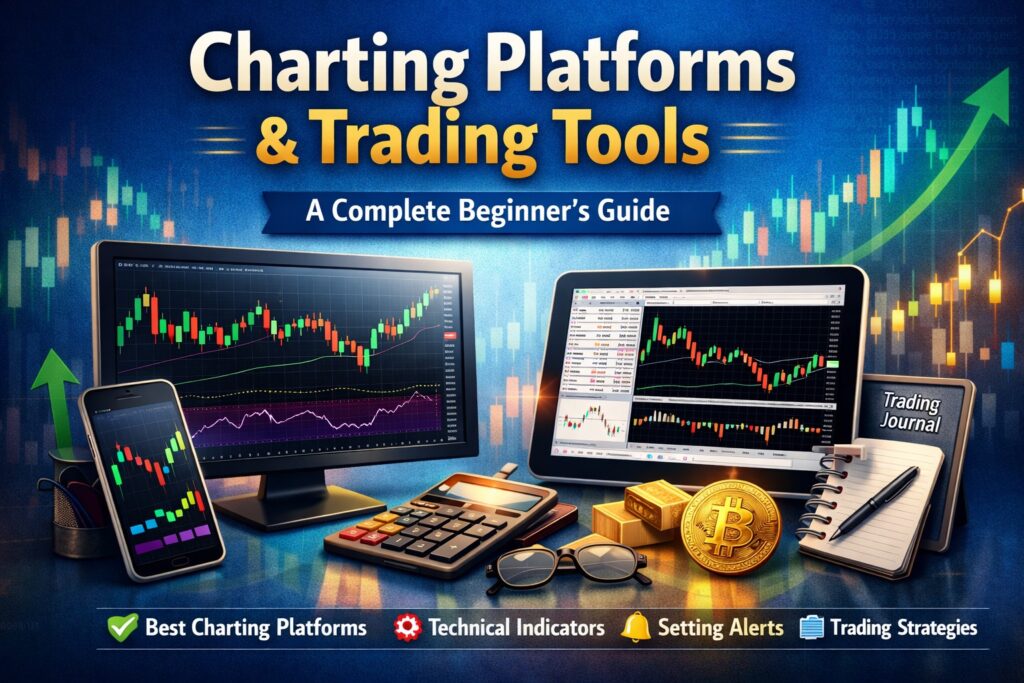
In this guide, you’ll learn what a charting platform is, which tools you actually need, and how to choose the best one as a beginner.
What Is a Charting Platform?
A charting platform is software that displays financial market price data in visual form – usually through candlestick, bar, or line charts.
It allows traders to:
- Track real-time price movements
- Perform technical analysis
- Use indicators and drawing tools
- Monitor multiple timeframes
- Set trading alerts
Some platforms are connected directly to brokers for order execution, while others are used only for analysis.
Popular charting platforms include:
Each platform serves different types of traders depending on market preference and trading style.
Essential Features Every Charting Platform Must Have
Before choosing a platform, make sure it includes these core features:
1. Multiple Chart Types
The most important is the candlestick chart, as it shows:
- Open
- High
- Low
- Close
This structure helps traders understand market sentiment quickly.
2. Multiple Timeframes
Good platforms allow you to switch between:
- 1-minute charts (for scalping)
- 15-minute / 1-hour charts (for intraday)
- Daily / Weekly charts (for swing trading)
Understanding higher timeframe trends and lower timeframe entries is crucial.
3. Technical Indicators
Common beginner indicators include:
- Moving Averages
- RSI (Relative Strength Index)
- MACD
- Volume
However, avoid adding too many indicators. Simplicity improves clarity.
4. Drawing Tools
You should be able to draw:
- Trendlines
- Support and resistance
- Fibonacci retracement
- Supply and demand zones
Manual analysis builds stronger trading skills.
5. Alerts & Notifications
Alerts help you avoid staring at charts all day.
You can set:
- Price level alerts
- Breakout alerts
- Indicator-based alerts
This improves efficiency and discipline.
Best Charting Platforms for Beginners
🔹 TradingView
One of the most beginner-friendly platforms available today.
Why beginners love it:
- Clean interface
- Cloud-based (works on browser & mobile)
- Huge indicator library
- Social trading community
It supports stocks, forex, crypto, indices, and commodities.
🔹 MetaTrader 4
Very popular in forex trading.
Key benefits:
- Broker integration
- Custom indicators
- Automated trading (Expert Advisors)
Best suited for forex traders who want direct execution.
🔹 MetaTrader 5
An upgraded version of MT4.
Advantages:
- More asset classes
- Built-in economic calendar
- Faster execution
- Advanced order types
Good for traders who want more flexibility.
Additional Trading Tools Every Trader Should Use
A charting platform alone is not enough. Professional traders also use:
1. Financial News Platforms
- Bloomberg
- Forex Factory
High-impact news can create volatility spikes. Always check the calendar before trading.
2. Trading Journal
Track:
- Entry & exit points
- Risk-to-reward ratio
- Emotional mistakes
- Strategy performance
You can use Excel or specialized trading journal apps.
Journaling separates serious traders from gamblers.
3. Risk Management Calculators
Position size calculators help you:
- Avoid overleveraging
- Control risk per trade
- Maintain long-term consistency
Risk management matters more than indicators.
Free vs Paid Charting Platforms
Most platforms offer free versions, which are more than enough for beginners.
Free Plan Benefits:
- Basic indicators
- Multiple Timeframe
- Drawing tools
- Limited Watchlist
When to Upgrade:
- If you need multiple chart layouts
- Advanced alerts
- Faster data feeds
- Professional tools
For beginners, start free. Upgrade only when your trading demands it.
Common Mistakes Beginners Make With Charting Platforms
❌ Adding too many indicators
❌ Switching platforms frequently
❌ Ignoring higher timeframes
❌ Trading during major news without awareness
❌ Copying other traders blindly
Remember: The platform is just a tool. Skill comes from practice.
How to Choose the Right Charting Platform
Choose based on:
1. Market Preference
- Forex → MT4 or MT5
- Crypto → TradingView
- Stocks → TradingView or MT5
2. Trading Style
- Scalping → Fast execution platform
- Swing trading → Strong charting tools
- Position trading → Multi-timeframe analysis
3. Budget
Free versions are enough for learning.
Final Thoughts
Your charting platform is your trading battlefield. But tools alone don’t generate profits — understanding price action, risk management, and discipline do.
Start simple. Master one platform. Focus on consistency before complexity.
Professional traders win because they keep their setup clean and structured.
❓ FAQs About Charting Platforms
1 What is a charting platform in trading?
A charting platform is software that allows traders to view and analyze price charts of financial markets such as stocks, forex, and crypto. It provides tools like indicators, drawing tools, and multiple timeframes to help traders make informed decisions.
Popular examples include TradingView and MetaTrader 4.
2 Which is the best charting platform for beginners?
For beginners, TradingView is often recommended because of its clean interface, ease of use, and wide range of tools.
If you are trading forex with a broker, MetaTrader 5 is also a strong choice due to its built-in trading execution features.
3 Is a free charting platform enough for beginners?
Yes. Free versions of most charting platforms provide all essential features like candlestick charts, indicators, drawing tools, and basic alerts.
Beginners should focus on learning price action and risk management before upgrading to paid plans.
4 What features should a good charting platform have?
A good charting platform should include:
- Multiple chart types (especially candlestick charts)
- Different timeframes
- Technical indicators (RSI, Moving Averages, MACD)
- Drawing tools (trendlines, support & resistance)
- Price alerts
- Reliable real-time data
These features are essential for proper technical analysis.
5 Can I trade directly from a charting platform?
It depends on the platform.
Platforms like MetaTrader 4 and MetaTrader 5 allow direct order execution through brokers.
However, some platforms are mainly used for analysis, and trades must be placed separately through a broker.
6 Do professional traders use charting platforms?
Yes. Professional traders rely heavily on charting platforms to analyze price action, track liquidity, and manage trades. However, they keep their charts clean and avoid overloading them with too many indicators.
7 How many indicators should a beginner use?
Beginners should use no more than 1–2 indicators along with clean price action.
Too many indicators create confusion and analysis paralysis. Simplicity leads to clarity and better decision-making.

